matery下代码高亮插件解决方案
我的prism_plugin插件装了有bug不显示,故使用prismjs方案。
1.首先检查冲突
如果装了prism_plugin插件请卸载:
npm uninstall -S hexo-prism-plugin2.配置
打开根目录下的_config.yml文件,禁用highlight:
highlight:
  enable: false
然后启用prismjs:
prismjs:
  enable: true
  preprocess: true
  line_number: true
  tab_replace: ''
3.下载自定义js和css文件
自定义可以使用官方下载地址:https://prismjs.com/download.html
常用java技术栈和前端等可以用我的配置 <- 点击下载
4.手动安装
把下载的prism.js、prism.css放置到 hexo\themes\hexo-theme-matery-master\source\js\prism 目录下,没有就mkdir,即
hexo\themes\hexo-theme-matery-master\source\js\prismprism.js
hexo\themes\hexo-theme-matery-master\source\js\prismprism.css
5.js配置
在目录hexo\themes\hexo-theme-matery-master\layout\_partial下的head.ejs文件中添加代码:
<link rel="stylesheet" href="/js/prism/prism.css">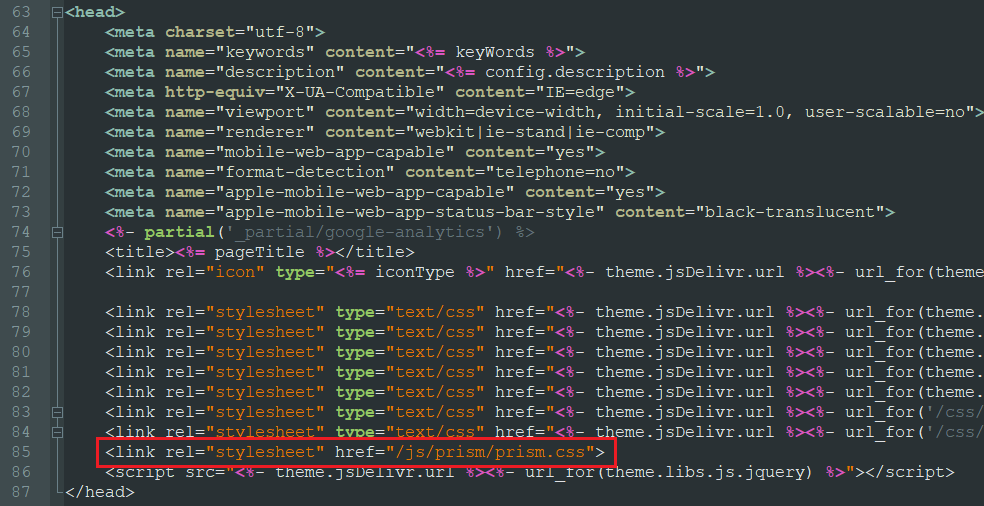
然后在相同目录下的footer.ejs中添加以下代码:
<script src="/js/prism/prism.js" async></script>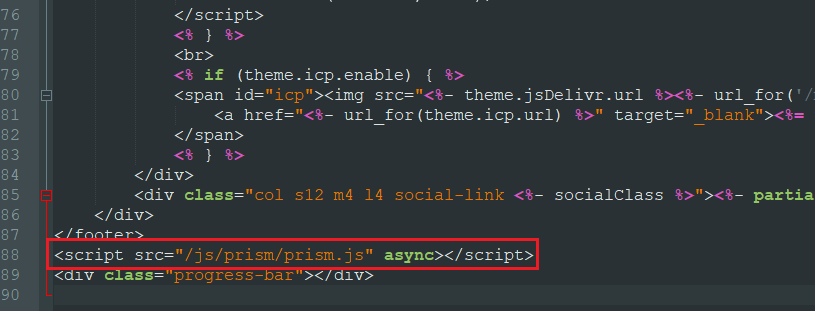
6.hexo配置
在根目录下的_config.yml文件,添加以下配置:
prismjs:
  enable: true
  preprocess: true
  line_number: true
  tab_replace: ''
marked:
  langPrefix: line-numbers language-
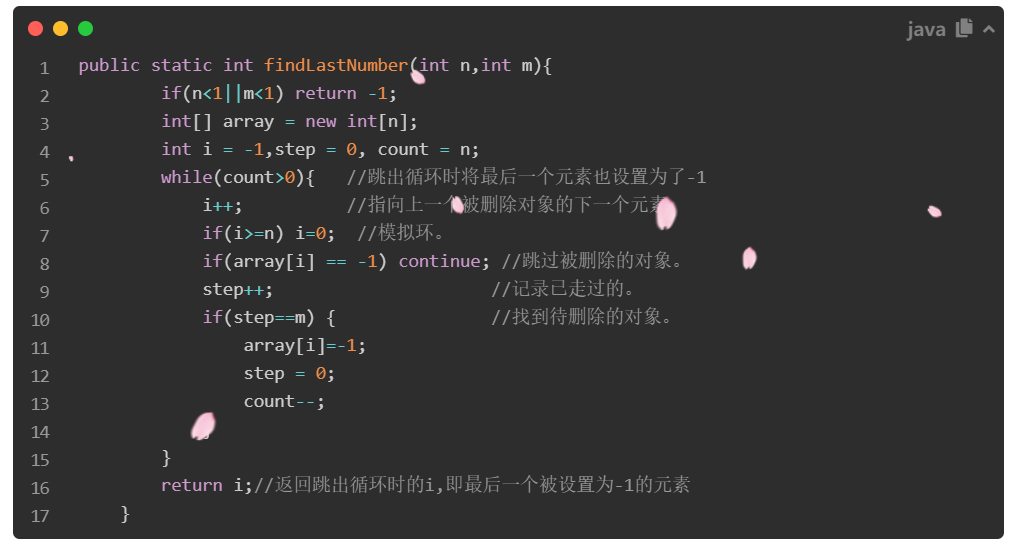
7.效果
我使用的是TOMORROW NIGHT主题,在java语言下的效果
8.更新:如果没效果要检查是否安装了hexo-inject
在根目录下的package.json文件中看看有没有"hexo-inject": "^1.0.0"这一项,没有则需要安装:
npm i hexo-inject -s